16 one-click toggles ( for now!) across 6 categories: WooCommerce, Performance, Security, Privacy/UX, Checkout, and Elementor Cleanup. Zero code, instant results.
Features & Tweaks puts useful WordPress, WooCommerce, checkout, security, performance, privacy, and Elementor controls in one place.
Remove Elementor promotions and panel clutter. Hide widgets and categories you do not use. Clean up WooCommerce prices and archive buttons. Adjust checkout fields and order behaviour. Disable XML-RPC, hide the WordPress version, manage cart fragments, and apply small improvements that would otherwise mean another utility plugin or a code snippet.
You do not have to turn everything on. Pick the annoyance, flip the relevant switch, and leave the rest alone.
WooCommerce Tweaks
Change Archive Add to Cart Button
Changes the default Add to Cart button on shop/archive pages to link directly to the single product page. Rename the button to whatever you would like!
Disable Product Image Zoom
Removes the hover-zoom effect on single product gallery images.
Clean Pricing (Trim Zeros)
Automatically removes .00 decimals from prices site-wide for a cleaner look.
Add Checkout Trust Badge
Display a secure payment image below the checkout button to increase conversions.
Performance
Disable Cart Fragments
Massively improves page speed by disabling the heavy AJAX cart check on non-shop pages.
Auto-Complete Paid Orders
Automatically marks successfully paid virtual/downloadable orders as “Completed” instead of “Processing”.
Remove Checkout Order Notes
Hides the “Additional Information” box on the checkout page for a cleaner design.
Remove WP Emojis
Removes unnecessary inline JS and CSS for emojis, slightly improving load times.
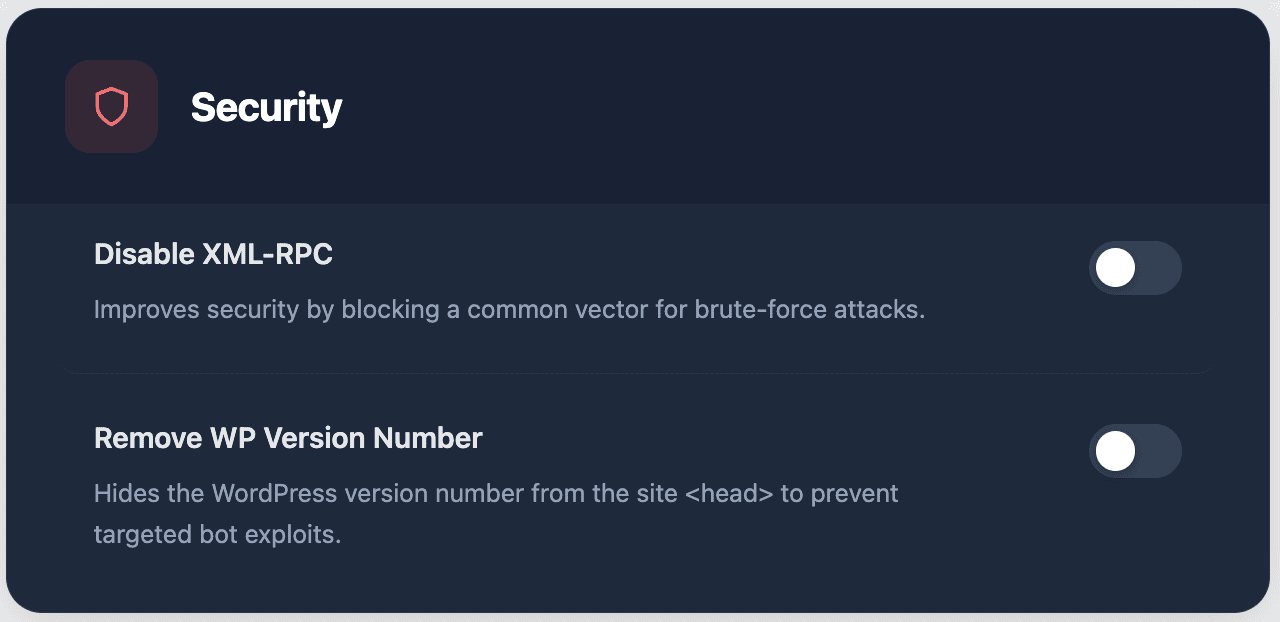
Security
Disable XML-RPC
Improves security by blocking a common vector for brute-force attacks.
Remove WP Version Number
Hides the WordPress version number from the site <head> to prevent targeted bot exploits.
Privacy & UX
Hide Admin Bar for Users
Hides the black WordPress admin bar for everyone except Administrators.
Disable Gutenberg
Restores the Classic Editor and disables the block editor completely.
Checkout
Rename Place Order Button
Change the final checkout button text.
Elementor Cleanup
Disable Elementor Promotions
Removes all Elementor promotional banners, upgrade prompts, and ads from the editor and WordPress admin.
Hide Atomic Widgets
Hides Elementor’s new Atomic widgets (Heading, Image, Button, Video, etc.) from the panel. These are the split-up widgets that take up lots of space. Classic widgets and your custom addons stay visible.
Hide Atomic Form
Hides Elementor’s “Atomic Form” widget category from the panel. Elementor’s new atomic form widget that replaces the classic Form widget.
Hide Custom Widget
Hides Elementor’s “Custom Widget” section (Elementor AI widget builder) from the panel. Lets you remove their AI push without affecting anything else.
Hide Link In Bio
Hides Elementor’s “Link In Bio” widget category (Minimalist, Classic, Showcase, etc.) from the panel. Nobody uses this, it just takes up space.
Hide Components Tab
Hides the Components panel navigation button from the Elementor editor sidebar. This removes a confusing UI element that aggregates Elementor AI-generated widgets and template suggestions which Elementor pushes aggressively.
Hide AI Buttons in Panel
Hides the “Edit with AI” button on Image widgets and “Write with AI” button on text widgets from the Elementor panel. These are Elementor AI upsells that clutter the editor and distract from real work.
Remove “Created with Elementor” Badge
Completely removes the “Created with Elementor” footer link/s badge that Elementor injects on every frontend page.
The demo will tell you more than a feature list
Open the live site, try the widgets, and start with the one that fixes the section you are building now.